
How it works
Navoice turns voice commands into real navigation—without redesigning your app.
Step 1
Define a Spec
Describe what users can say and where it should go.
Spec Builder (screenshot)
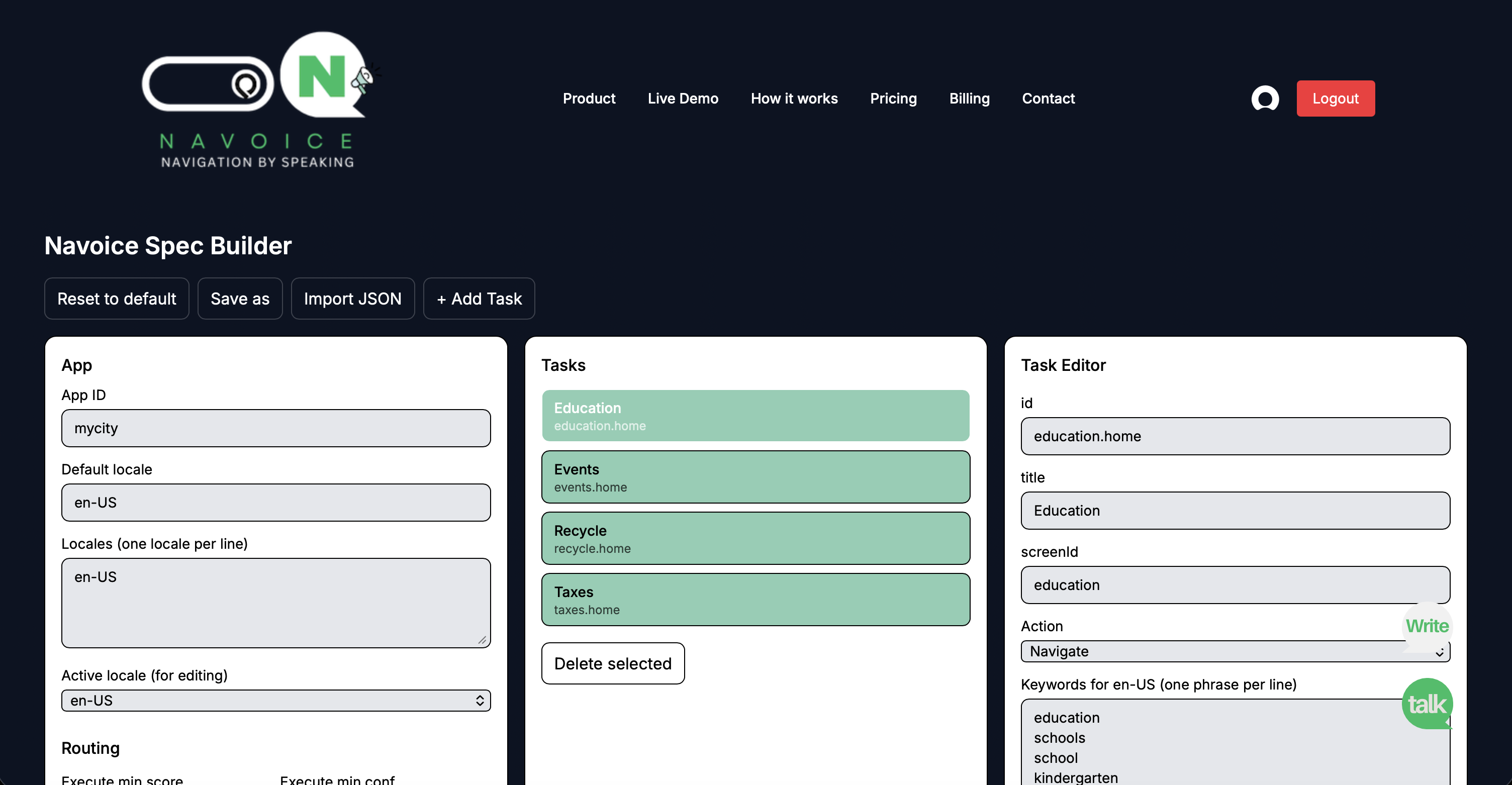
Examples: “Go to pricing”, “Open reports”, “Take me to contact”.
Step 2
Plug Navoice
Drop-in SDK. No redesign. No UI changes.
- Add the SDK and load your spec.
- Your app stays exactly the same.
- Navoice just triggers navigation when it detects intent.
Concept
Spec + SDK → Local Router → Semantic Resolver → Navigate
Step 3
Users Speak
Speech-to-text → Intent → Real navigation.
Flow
Speech / Text
“I need to pay my municipal bill”
↓
STT
Convert speech to text
↓
Local Router
Fast local intent match
↓
Semantic Resolver
Embedding-based understanding
↓
Navigation
Open the right screen
Navoice works with both speech and text input. It first performs fast local routing, then semantic resolution, and only falls back to cloud logic when needed. using your Spec.
BYO-STT
Use any Speech-to-Text provider
Navoice includes built-in speech-to-text and intent routing out of the box. No need to integrate external voice providers.
Built-in speech-to-text
Navoice includes speech-to-text out of the box — no external integration required.
Optimized for navigation
The speech pipeline is tuned specifically for intent detection and app navigation.
End-to-end flow
From voice to navigation — everything is handled in one integrated system.
Multi-language by default. For demo purposes, we may lock a single locale — but the same Spec can support additional languages when you enable them.